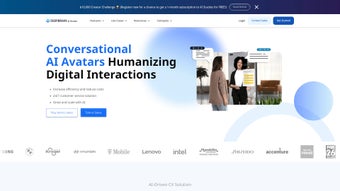

Download AiHuman – Advanced AI Avatar Solution for Video, Customer Engagement & Multilingual Content
Why AiHuman Is Redefining Digital Interaction
In today’s hyper‑connected world, businesses are constantly searching for tools that can deliver personalized, engaging experiences at scale. AiHuman, the flagship AI Avatar platform from DeepBrain, steps into this space as a comprehensive solution that blends realistic digital humans, multilingual support, and a suite of creative AI utilities. Whether you are a marketer aiming to produce high‑impact video ads, an educator creating interactive lessons, a trainer developing on‑demand learning modules, or a customer‑service leader looking to automate conversational support, AiHuman offers a single, secure environment to design, publish, and manage AI‑driven content.
The platform’s core promise is simple yet powerful: transform static text or audio into lifelike avatar videos in minutes, while maintaining brand consistency and linguistic accuracy across more than 80 languages. This eliminates the need for costly production crews, voice‑over talent, or translation agencies. Moreover, AiHuman’s generative art space, AI Script Assistant, and AI Video Translator empower creators to iterate faster, experiment with visual styles, and reach global audiences without sacrificing quality or security.
From a technical standpoint, AiHuman is built on a robust cloud infrastructure that guarantees low latency, high‑definition rendering, and end‑to‑end encryption for all assets. The platform also includes deepfake detection mechanisms, ensuring that the generated avatars are used responsibly and ethically. As a result, enterprises can adopt AiHuman with confidence, knowing they are leveraging a tool that prioritizes both innovation and compliance. The solution is continuously updated with the latest AI models, ensuring that users always have access to cutting‑edge features without manual patches or downloads.
Beyond enterprise use, freelancers and small businesses benefit from the tiered pricing model that scales with usage, making high‑quality AI video production affordable for any budget. The intuitive drag‑and‑drop interface reduces the learning curve for non‑technical users, while power users can tap into RESTful APIs for deep integrations with existing workflows. In short, AiHuman bridges the gap between creative vision and technical execution, delivering a secure, scalable, and future‑proof platform for all digital communication needs.
Comprehensive Overview and Feature Set
AiHuman distinguishes itself through an extensive collection of over 80 hyper‑realistic AI avatars that can be customized to match any brand personality. Each avatar is driven by advanced facial animation, natural language processing, and emotion modeling, delivering a conversational experience that feels genuinely human. The platform’s multilingual engine supports more than 80 languages and dialects, automatically handling text‑to‑speech synthesis, lip‑sync, and contextual nuance. This breadth of language support is especially valuable for global enterprises that need to localize content quickly while preserving tone and cultural relevance.
Beyond avatar creation, AiHuman bundles a suite of tools that turn the solution into an all‑in‑one content studio. These tools are designed to streamline every stage of video production, from concept to distribution, and they integrate seamlessly within a single browser‑based workflow:
- AI Studios: A drag‑and‑drop video editor that lets you place avatars, background scenes, and on‑screen graphics in a timeline‑based workflow. Built‑in transitions, motion graphics, and audio tracks enable professional‑grade editing without external software.
- AI Script Assistant: Generates scripts based on brief inputs, suggests tone, and aligns copy with brand guidelines. The assistant can also perform SEO keyword integration, ensuring that video content is both engaging and discoverable.
- AI Video Translator: Instantly translates video scripts and re‑synchronizes lip movements for target languages. The translator respects idiomatic expressions and cultural nuances, producing natural‑sounding voiceovers for each locale.
- Generative Art Space: Creates custom backgrounds, textures, and visual effects using AI‑driven image synthesis. Users can upload style references or let the AI generate unique assets based on descriptive prompts.
- Deepfake Detection: Built‑in verification that flags potential misuse of avatars, ensuring ethical deployment and compliance with industry regulations.
- Multi‑Input‑to‑Video Conversion: Accepts text, audio, PowerPoint, or PDF files and outputs a fully animated video, dramatically reducing manual re‑creation effort.
- Platform Integrations: Native plugins for popular LMS, CRM, and social media APIs, enabling seamless publishing to learning portals, marketing automation tools, and video platforms.
- Cost‑Effective Pricing: Tiered subscription model that scales with usage, making it accessible for startups and enterprises alike. Volume discounts and private‑cloud licensing are available for large organizations.
These capabilities collectively empower organizations to produce marketing videos, training modules, product demos, and interactive chatbots without the traditional bottlenecks of talent acquisition, studio time, or translation services. The result is a dramatically shortened production cycle—often from weeks to mere hours—while maintaining a high standard of visual fidelity and linguistic accuracy. In addition, AiHuman’s analytics dashboard provides real‑time insights into viewer engagement, language adoption rates, and avatar interaction metrics, enabling data‑driven optimization of future content.
Installation, Usage Instructions, and System Compatibility
AiHuman is delivered as a cloud‑based SaaS platform, which means there is no heavyweight client to install on local machines. Users simply need to create an account on the AiHuman portal, verify their email, and they are ready to start building avatars. The onboarding wizard guides new users through the following steps:
- Account Creation: Sign up with a corporate email, select a subscription tier, and set up two‑factor authentication for added security.
- Avatar Selection: Browse the library of pre‑built avatars, filter by industry, gender, age, or tone, and choose one that aligns with your brand.
- Customization: Use the avatar editor to upload brand assets (logo, color palette), adjust facial features, and fine‑tune voice parameters.
- Script Generation: Input a brief description of the video’s purpose; the AI Script Assistant will produce a draft script in seconds, incorporating SEO‑friendly language if desired.
- Translation & Lip‑Sync: Select target languages; the AI Video Translator automatically translates the script, generates localized voiceovers, and synchronizes lip movements.
- Production: Drag the avatar onto the AI Studios timeline, add background scenes or generative art, and preview the final video with real‑time rendering.
- Export & Publish: Export in MP4, MOV, or GIF formats, or push directly to YouTube, Vimeo, or your internal LMS via API. Bulk export options support batch processing for large campaigns.
Because AiHuman runs entirely in the browser, it is compatible with all major operating systems that support modern web standards. The platform officially supports:
- Windows 10 and later (Chrome, Edge, Firefox)
- macOS 11 (Big Sur) and later (Safari, Chrome, Firefox)
- Linux distributions with recent Chromium‑based browsers
- Android 9+ (Chrome Mobile)
- iOS 13+ (Safari, Chrome)
For organizations with strict data residency requirements, AiHuman offers private cloud deployment options on AWS, Azure, or Google Cloud, ensuring that all video assets remain within chosen geographic regions. The platform also integrates with Single Sign‑On (SSO) providers such as Okta, Azure AD, and Google Workspace, simplifying user management for large teams.
From a performance perspective, AiHuman leverages GPU‑accelerated rendering on the backend, delivering 1080p output in under two minutes for most scripts. Users can monitor rendering queues, set priority levels, and schedule batch jobs for bulk video production. The intuitive dashboard provides real‑time analytics on video views, language adoption, and avatar interaction metrics, empowering data‑driven decision‑making.
Pros, Cons, and Frequently Asked Questions
Pros
- Extensive library of 80+ realistic avatars with deep customization.
- Support for 80+ languages, including automatic lip‑sync and tone adaptation.
- All‑in‑one video studio eliminates the need for external editing software.
- AI Script Assistant accelerates copywriting and reduces creative bottlenecks.
- Built‑in deepfake detection ensures ethical usage of generated content.
- Scalable SaaS model with private‑cloud options for enterprise compliance.
- Seamless integration with LMS, CRM, and social platforms via API.
- Cost‑effective pricing tiers suitable for startups to large enterprises.
- Continuous updates keep AI models and security patches current.
- Robust analytics dashboard for performance tracking and optimization.
Cons
- High‑quality rendering depends on a stable internet connection.
- Advanced avatar customization (e.g., custom facial rigs) may require additional fees.
- Learning curve for the AI Studios interface for users unfamiliar with video editing.
- Limited offline capabilities due to cloud‑centric architecture.
- Some niche languages may have slightly longer processing times.
- Enterprise private‑cloud deployment involves additional setup time.
Frequently Asked Questions
Can I use my own brand voice for the avatars?
Yes. AiHuman’s voice customization panel lets you upload reference audio files or select from a library of tonal presets, ensuring the avatar speaks with a voice that matches your brand personality.
Is there a free trial available?
AiHuman offers a 14‑day free trial with access to all core features, including three avatar renders and up to five language translations. No credit card is required to start the trial.
How secure is my video content?
All data in transit and at rest is encrypted using AES‑256. The platform complies with GDPR, CCPA, and ISO 27001 standards. For added security, you can enable IP‑whitelisting and SSO.
Can I integrate AiHuman with my existing CMS?
Yes. AiHuman provides RESTful APIs and ready‑made plugins for WordPress, Drupal, and Sitecore, allowing you to embed generated videos directly into your content management workflow.
What rendering resolutions are supported?
AiHuman supports 720p, 1080p, and 4K UHD outputs. Higher resolutions may increase rendering time and require a premium subscription.
Is there an offline mode for restricted environments?
AiHuman is primarily cloud‑based; however, enterprise customers can request a private‑cloud deployment that runs within a secure intranet, providing near‑offline capabilities while retaining full feature sets.
Final Verdict – Should You Download AiHuman?
AiHuman delivers a compelling blend of realism, multilingual capability, and creative flexibility that few competitors can match. Its cloud‑first architecture ensures that teams can collaborate from anywhere, while the integrated AI tools drastically reduce the time and cost associated with traditional video production. For marketers, educators, and support teams looking to scale personalized video content, AiHuman offers a secure, scalable, and ethically designed platform.
While the reliance on a stable internet connection and a modest learning curve may be considerations for some users, the overall value proposition—especially when compared to hiring separate voice‑over artists, translators, and video editors—makes AiHuman a worthy investment. The free trial allows businesses to evaluate the fit without risk, and the tiered pricing ensures that you only pay for the features you need. Moreover, continuous updates keep the AI models at the cutting edge, meaning your content will stay fresh and competitive.
Ready to transform your digital communications? Download AiHuman today and start creating lifelike avatar videos that speak directly to your audience in their own language. Experience the future of content creation—secure, fast, and cost‑effective.



.png)



